Using Grok with Google Calendar and Outlook: A Complete Guide
Last updated August 13, 2026
Since the introduction of Grok Connectors in May 2026, Grok has evolved from a conversational AI assistant into a much more capable productivity tool.
Users can now connect services such as Google Calendar and Microsoft Outlook, extending Grok beyond chat-based interactions and enabling it to work with information from external applications.
By connecting your calendars to Grok, the assistant can access upcoming events and availability information, making it more useful for scheduling and planning-related tasks.
In this guide, we'll show you how to connect Google Calendar and Outlook to Grok, explain how Grok's calendar integrations work, and discuss the current limitations you should be aware of.
Connecting Google Calendar and Outlook to Grok
Connecting a calendar to Grok only takes a few minutes. The setup process is identical for both Google Calendar and Outlook.
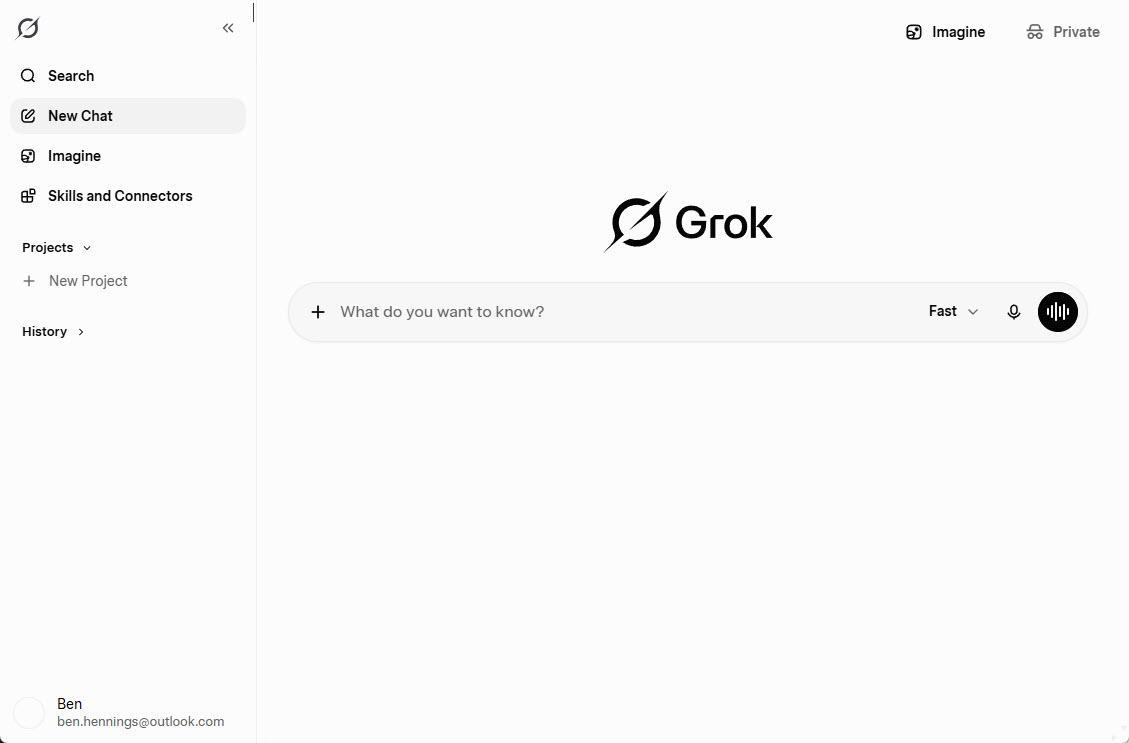
Open Grok and sign in to your account.
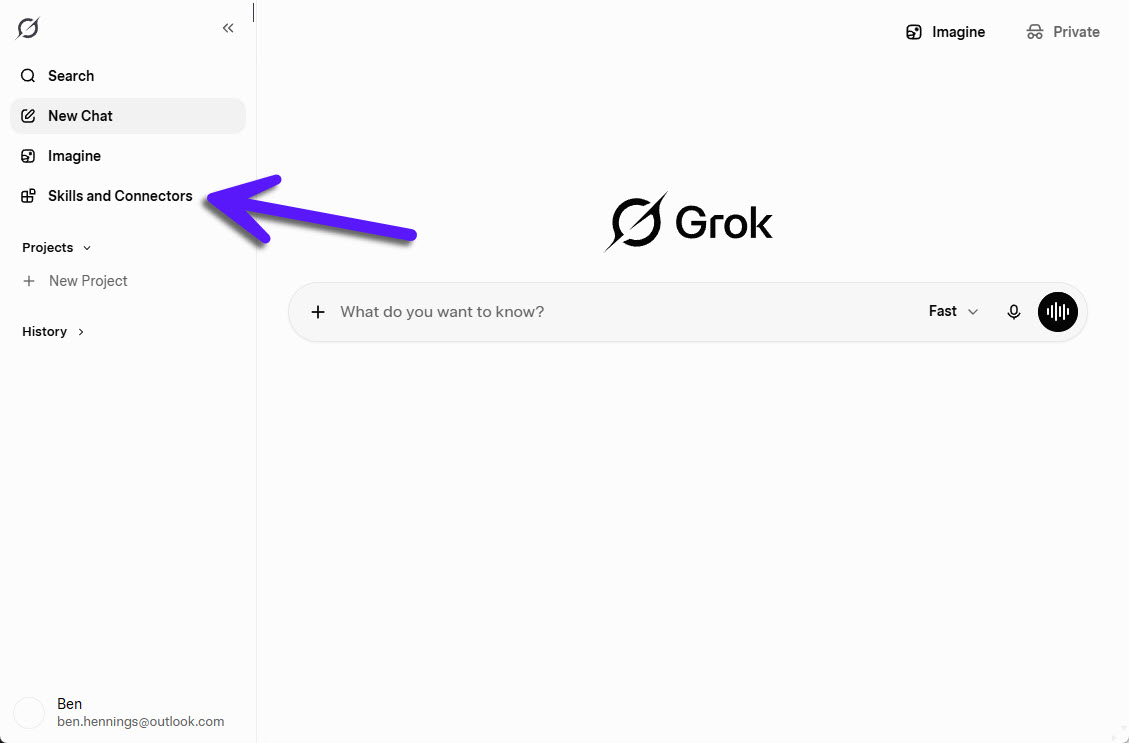
Click on Skills and Connectors on the left navigation panel.
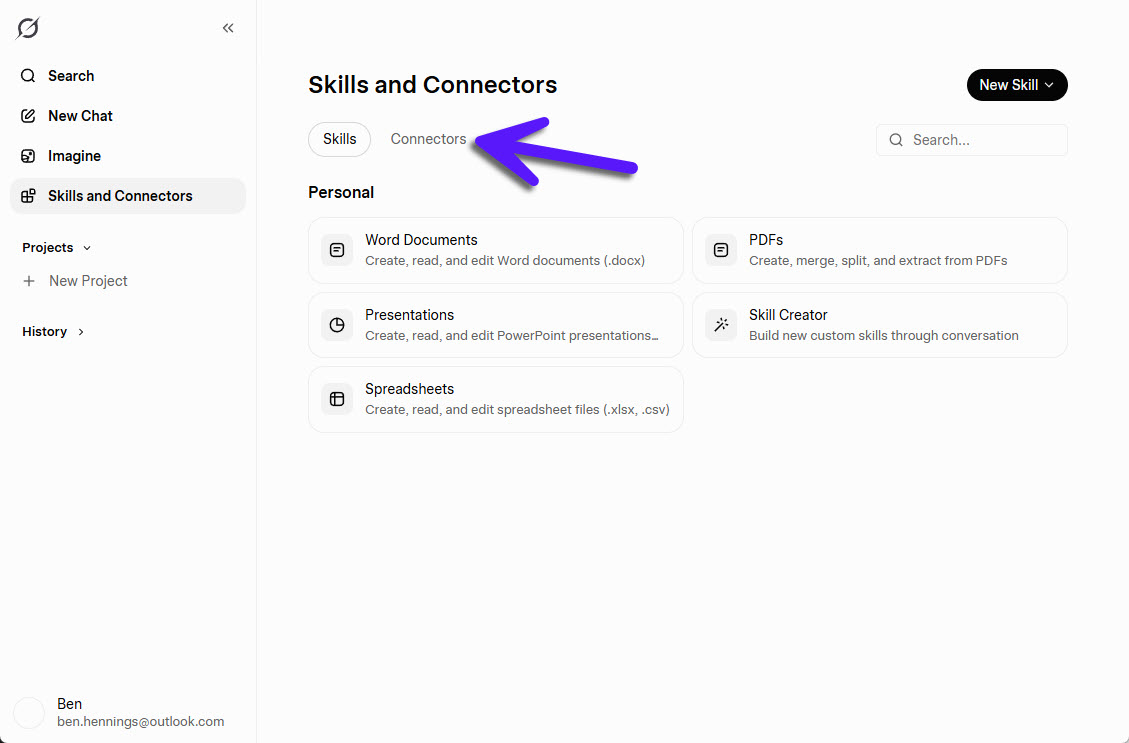
Click on Connectors.
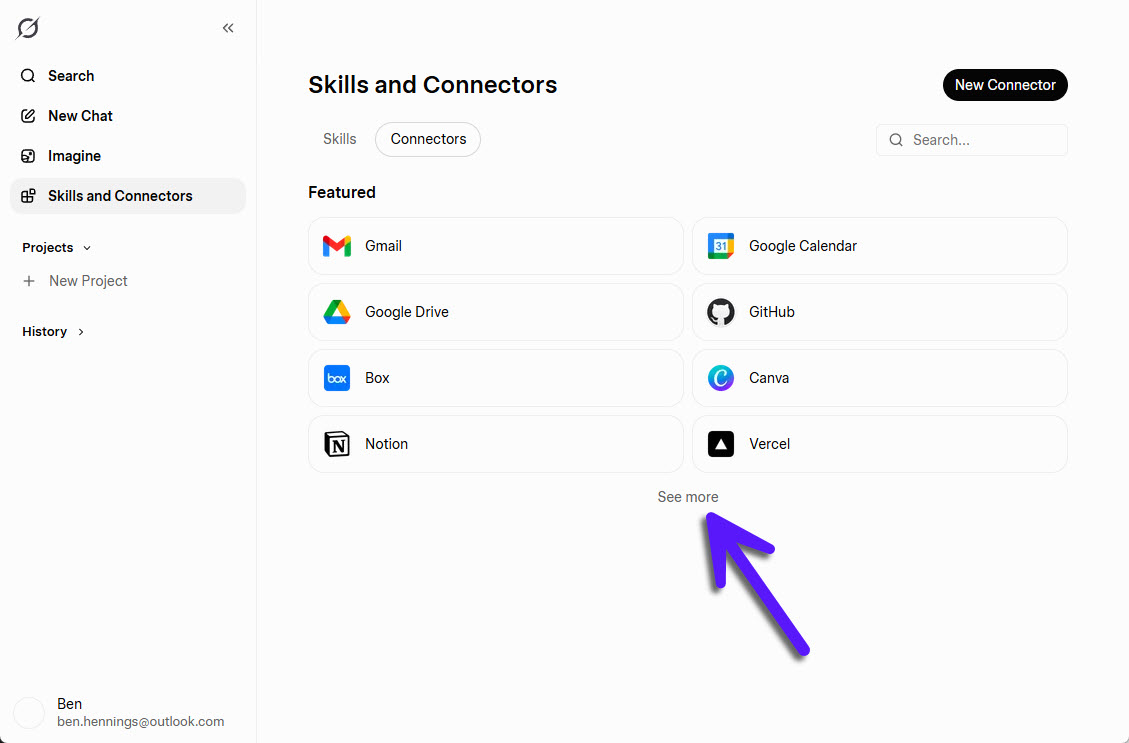
Browse the available connectors. If you don't see Google Calendar or Outlook, click See more to view the full list.
Select the calendar provider you want to connect (Google Calendar or Microsoft Outlook) and click Connect in the dialog that opens.
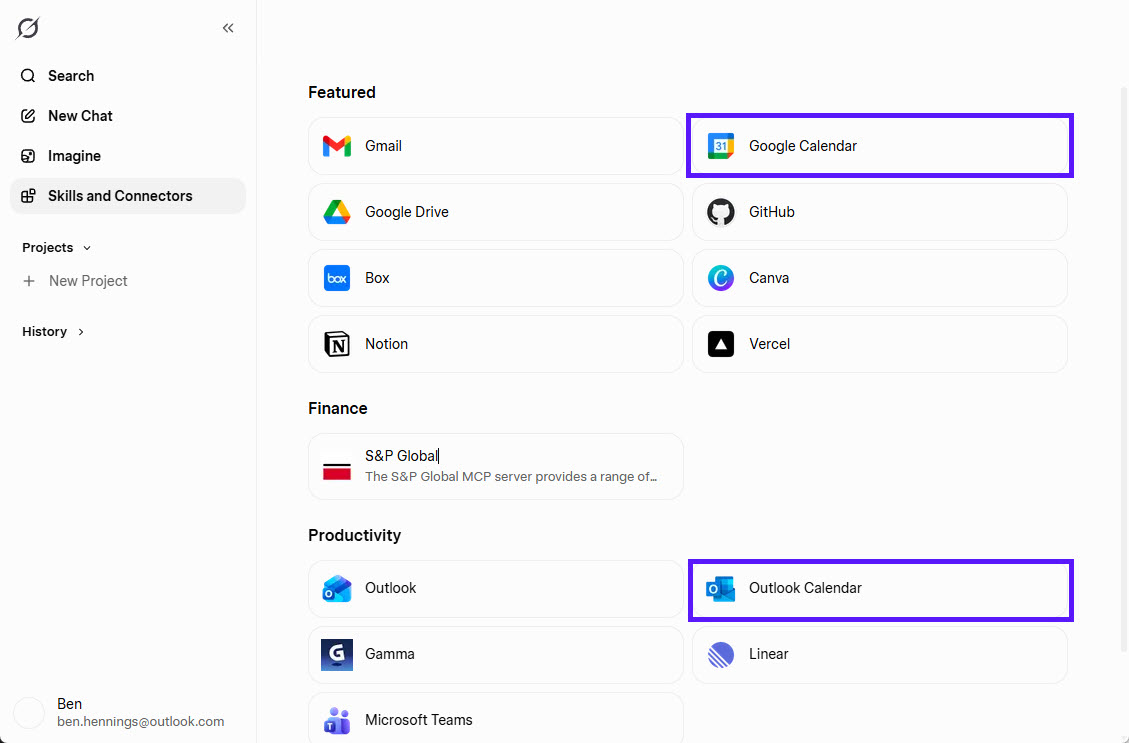
Follow the authentication prompts to complete the connection process.
Grok Calendar Limitations
Before relying on Grok for scheduling and availability management, it's important to understand its current calendar limitations. While Grok can connect to both Google Calendar and Microsoft Outlook through Grok Connectors, there are still a few restrictions that users should be aware of.
Grok currently allows you to connect only a single Google account and a single Microsoft account. If you manage multiple Google accounts or multiple Microsoft accounts, there is currently no way to connect all of them to Grok simultaneously.
One of the most significant limitations is that Grok currently does not support personal Outlook accounts. Only work and school Microsoft accounts can be connected.
As a result, Grok may not always have access to your complete availability, especially if important events are spread across multiple accounts or stored in a personal Outlook calendar.
How to Work Around Grok's Calendar Limitations
For many users, the inability to connect a personal Outlook account is currently Grok's biggest calendar limitation.
One option would be to manually copy events between calendars to ensure everything is available in an account that Grok can access. However, this quickly becomes time-consuming, difficult to maintain, and highly prone to errors as your schedule changes.
A more practical approach is to automatically synchronize calendars using a tool like Syncory.
By keeping events synchronized between Google Calendar, Outlook, Apple Calendar, and other calendar providers, you can ensure that important appointments remain available across the calendar accounts connected to Grok.
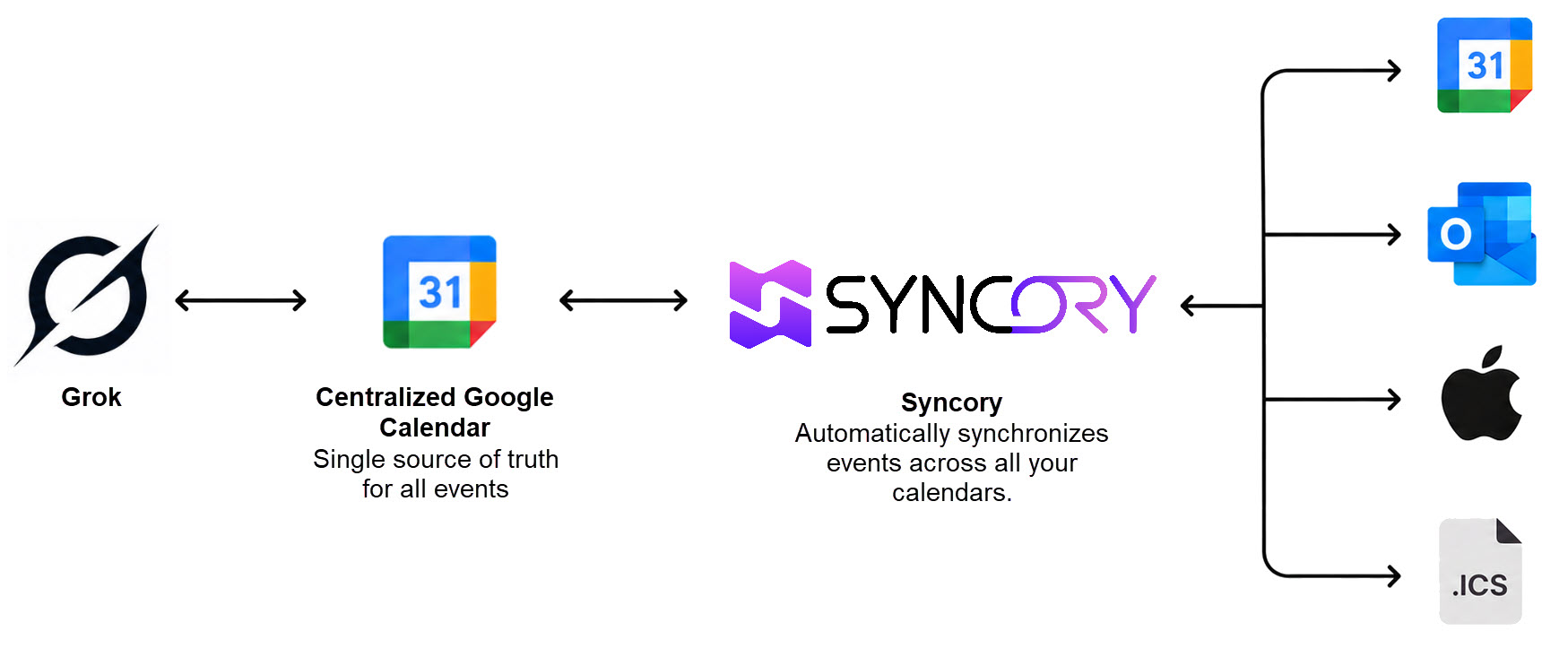
By using Syncory, events from Google Calendar, Outlook, Apple Calendar, and other calendar sources can be automatically synchronized into a central Google Calendar. This central calendar can then be connected to Grok. As a result, important meetings, personal appointments, and other commitments remain visible within the calendar account connected to Grok. This allows the AI to work with a more complete picture of your availability and provide more accurate scheduling and planning assistance.
Conclusion
Grok Connectors make it possible to connect Google Calendar and Microsoft Outlook to Grok, allowing the AI assistant to access scheduling and availability information directly from your calendars.
While Grok currently supports only one Google account and one Microsoft account and does not support personal Outlook accounts, these limitations can be overcome by synchronizing calendars with Syncory.
By consolidating events from multiple calendar sources into a central Google Calendar, users can give Grok access to a more complete view of their schedule and improve the quality of scheduling and availability insights.